COD Mobile First Time User Experience, Part 1

To deconstruct and analyze the first time user experience (FTUE) for Call of Duty (COD) mobile we must first understand how players funnel into the game and the expectations a player may have before playing. COD is a globally known brand that is doing better than ever right now. Warzone has over 75 Million players now and COD Mobile has over 250 Million downloads worldwide. Analyzing where the installs and revenues are coming from can help us understand the context that players are coming in with and how the FTUE can be optimized. According to Sensor Tower’s June 2020 data, COD Mobile has proven to be most popular in the United States, where it has seen nearly 45 million downloads, or close to 18 percent of all installs. India is No. 2 in downloads, while Brazil ranks No. 3. The U.S. has taken the lion’s share of revenue, generating $134 million from player spending to date, or 41 percent of the title’s total. Japan ranks No. 2 for revenue, while Brazil is No. 3 by this metric.
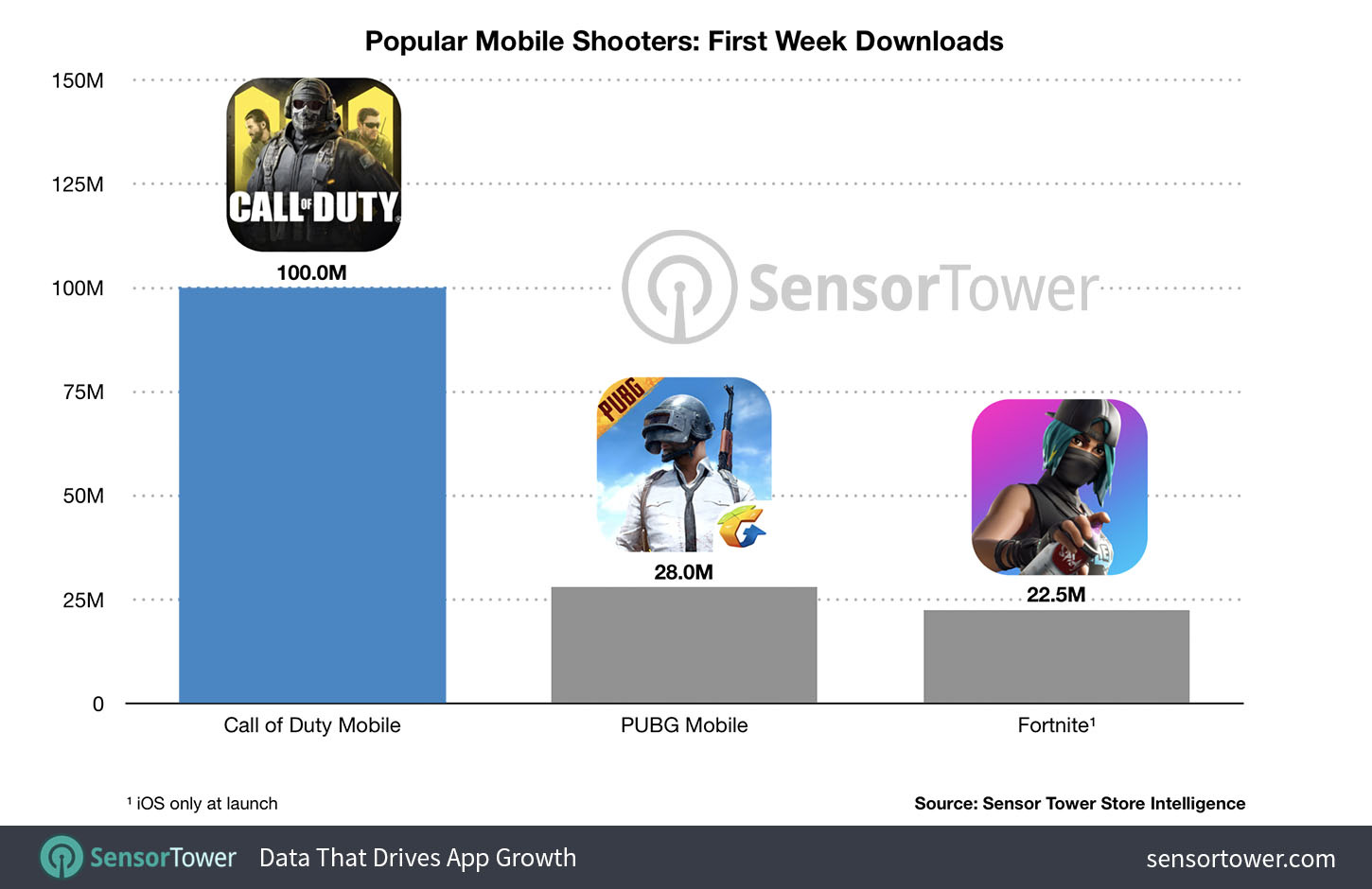
COD has traditionally been a console brand that succeeds in countries where console gaming is big, such as the United States and throughout Europe. Now that COD is on mobile this opens up the potential audience in Asia, which is dominated by mobile gaming. Without in-depth research on the perception Asian audiences have of the COD brand, we assume that many downloading this game are aware of the COD brand as an FPS brand but have most likely never played a COD game before. For the audience in the US, we assume that a very high percentage are aware of the COD brand and have played a COD game in the past, given the high install numbers and revenue representation in the US.
With this background knowledge of the COD brand, one can assume that when anyone in the world is downloading COD mobile, they are expecting to play an FPS and are downloading the game for that reason. Given that, COD Mobile’s FTUE should hook players in as soon as possible by throwing them into a game where they are shooting at enemies. The longer the FTUE takes to get to that point, the more players will drop out of the game.
Summary Of FTUE
Before we dive into analyzing the FTUE, we want to quickly summarize the current state of the FTUE and what steps COD Mobile takes each player through when they first download the game.
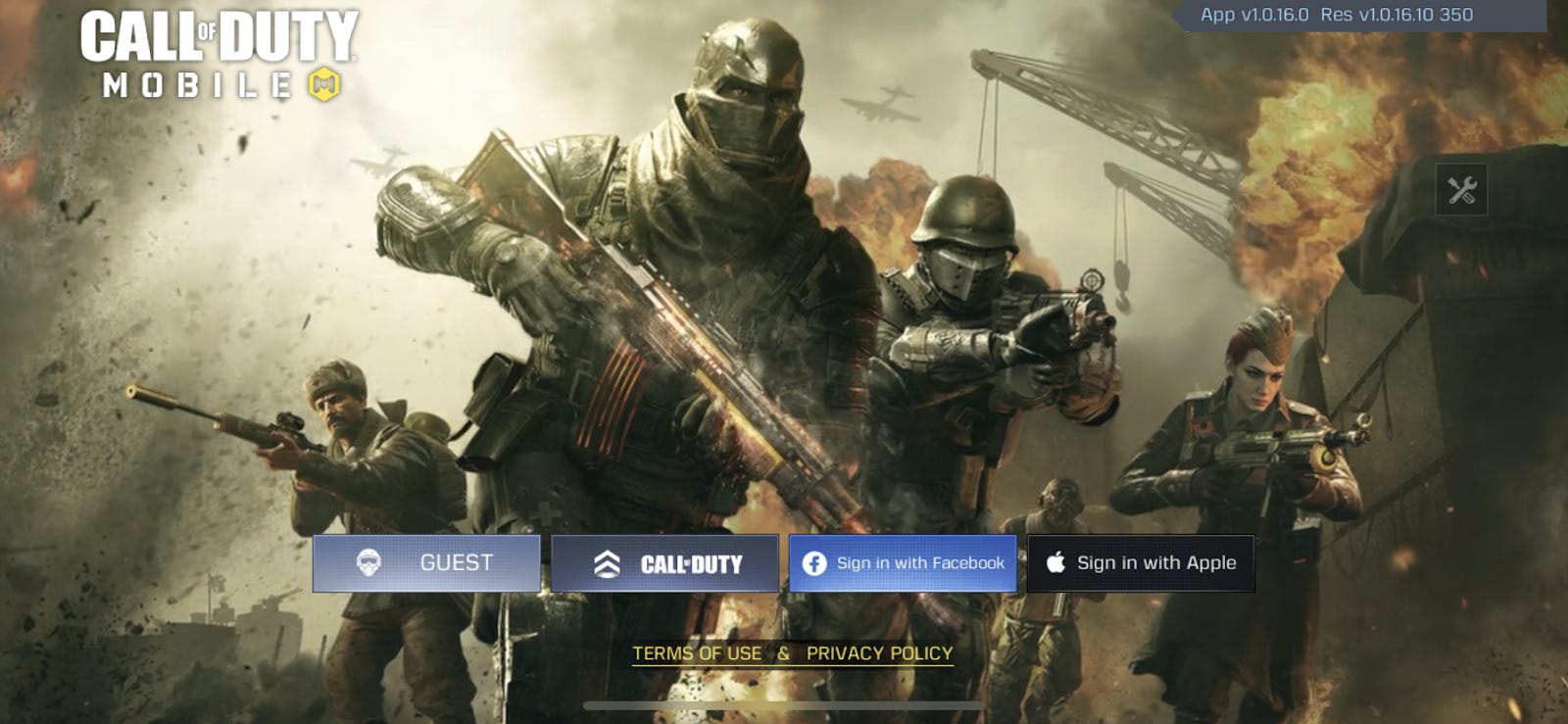
Right away you need to accept a terms of service and privacy agreement. You are then asked to select a method of logging in (Guest, COD, Facebook, or Apple account). A pop up notification asks you for permission for COD Mobile to send you notifications and then you are taken to a character creation screen where you select a name for your account and an icon. Simon “Ghost” Riley welcomes you to bootcamp and you go through a tutorial that shows you how to move, shoot, aim, use a predator missile, and shoot a sniper rifle. Once this is completed you are introduced to the game store where you buy an M4 rifle. You are then taken to a menu called your “Loadout” where you can pre-select the guns and gear you will use in your matches. Simon says that you can unlock more loadouts by reaching higher levels, giving you the “end-game” motivation to play more games. You are then placed into an easy match where, once finished, you level up and are introduced to levels for guns. The more levels you unlock for a gun, the more attachments and modifications can be made to them. COD Mobile then introduces you to the battle pass rewards and to XP cards which are used to quickly level up guns. Finally Simon tells you that you are done with your objectives and you continue to the main menu.
FTUE Breakdown & Analysis
Now that we have an understanding of what the current FTUE looks like, we can dive into different parts of the experience and try to recommend improvements that can be made to raise retention and continuously improve the user experience. Since these are product recommendations, we’ll be offering user stories, specific deep-dives on particular features, and analysis on how different elements of the game come together to create a memorable experience.
Account-Type Specific FTUE
When first starting the game, the player is presented with different account login options. On iOS the player can login with a guest, Call of Duty, Facebook, or Apple account. FTUE is the same regardless of what account is selected.
User story:
“As a first-time COD mobile user and existing COD gamer with a COD account, I want to have a unique and quick FTUE that takes into account my existing COD knowledge.”
This is a lost opportunity for COD to add customization, specifically to players with a COD account. Returning customers should feel a sense of homely warmth for returning to the COD domain. An exclusive animation with a message delivered by a classic character with a weapon skin to boot would make the player feel unique. Depending on the games the player has played in the past, COD Mobile can give the player the option to skip past parts of the FTUE, such as the loadout which is common in other COD games. If COD Mobile implemented special FTUE for COD accounts I believe their Day 1 retention KPI would rise.
More Information About Guns
When playing any FPS game, have you ever wondered what the history and importance of a gun is in the real world? Quite an uncommon thought? I guess not! Connecting assets in games to real-world assets engages the users in many ways. Though one could argue that players could always Google the info, COD Mobile can make this process easy for their users by having the info on the game screen. After all, it became a hot topic for discussion when COD introduced a character based on real life.
User Story:
“As a user, I want to know the real-world significance of a weapon so that I am more immersed in the game”
Rapid Sketch of our Suggestion:
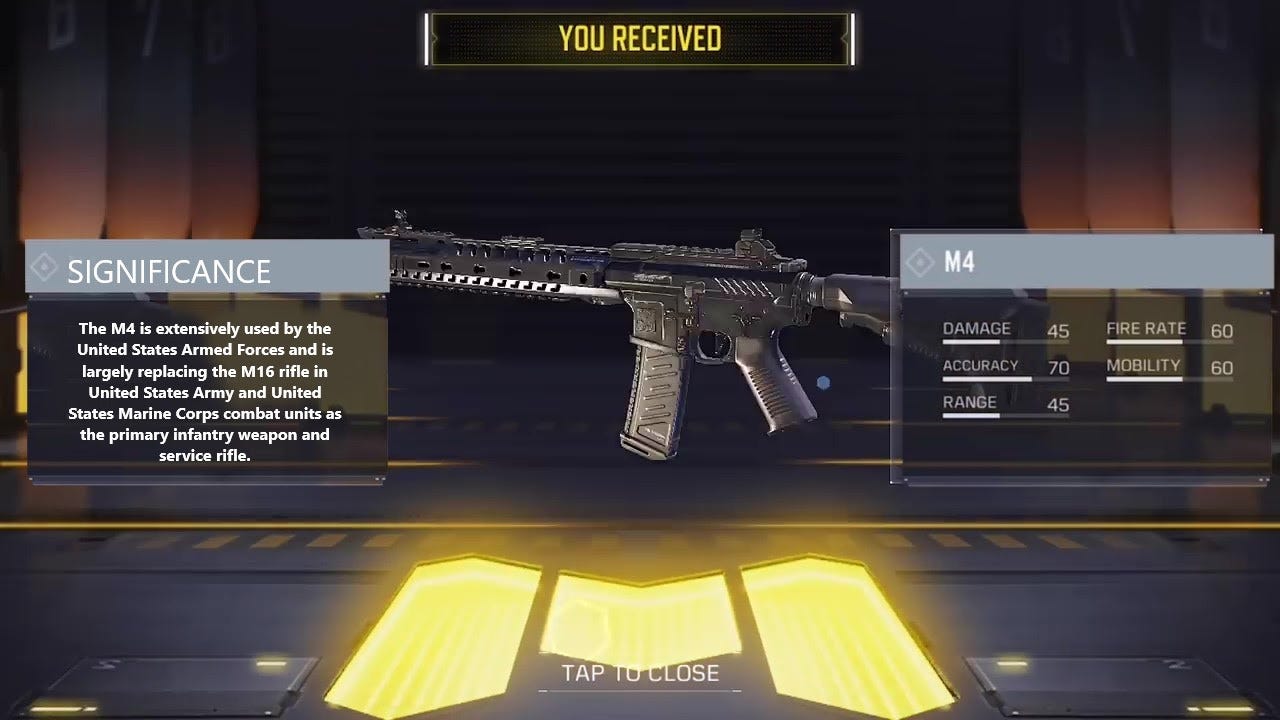
A simple icon, commonly known as the “info button” can be placed on the gun’s tabs in the loadout section. By clicking on the icon, users will learn information about the gun’s historic significance and its usage in the military or Special Ops. Quotes from real-world soldiers/veterans can be randomized to display below the info.
The real-world info on weapons can also be shown at load screens before a game starts or during game load.
Connecting virtual experiences to significance in the real-world would ensure organic publicity by players about the game, both through word-of-mouth discussions and social media sharing. Another example of how real-world significance excited users, right at the white house!
Additional Information on Controls, How To Deliver It
In the main game tutorial, players are only taught how to move, shoot and use killstreak skills. There is no mention of jumping, crouching, throwing tactical weapons, and dashing (run + crouch). Including these maneuvers in the tutorial may burden the player who is waiting eagerly for the in-game action.
User Story:
“As a first-time user, I want to know all possible controls in the game so that I can leverage the complete controls experience and perform better in the game”
These instructions along with other tactics can be relayed to the player as they progress through the game. We, as players, figured out these controls and maneuvers exist when we saw other players perform these actions. Though it is common knowledge for mobile FPS gamers, it might not be the case for a first-time player.
Many times, before the start of a multiplayer match, players wait on a loading screen with a big magnifying glass on the screen itself. This space can be utilized to share information about various tactics and controls players could use in the game - a sort of addendum to the quick introductory tutorial. Even a video could be displayed under notifications for players to understand these settings.
Rapid Sketch of our Suggestion:
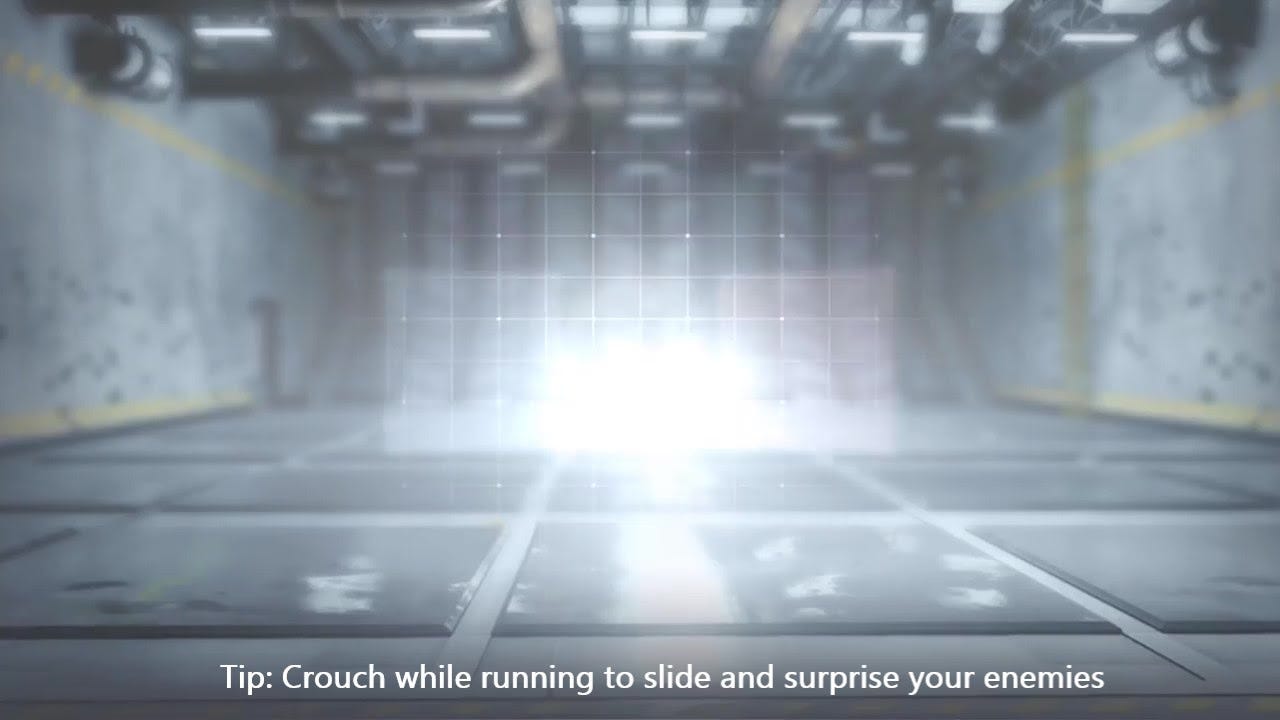
Another method to teach players all the available controls is to include an option in settings for an “advanced tutorial” where players are taught how to do all the movements and abilities that are not taught in the regular tutorial. This way players are not burdened with an extended tutorial during the FTUE and instead are given the option to learn on their own.
Tutorial Experience Analysis
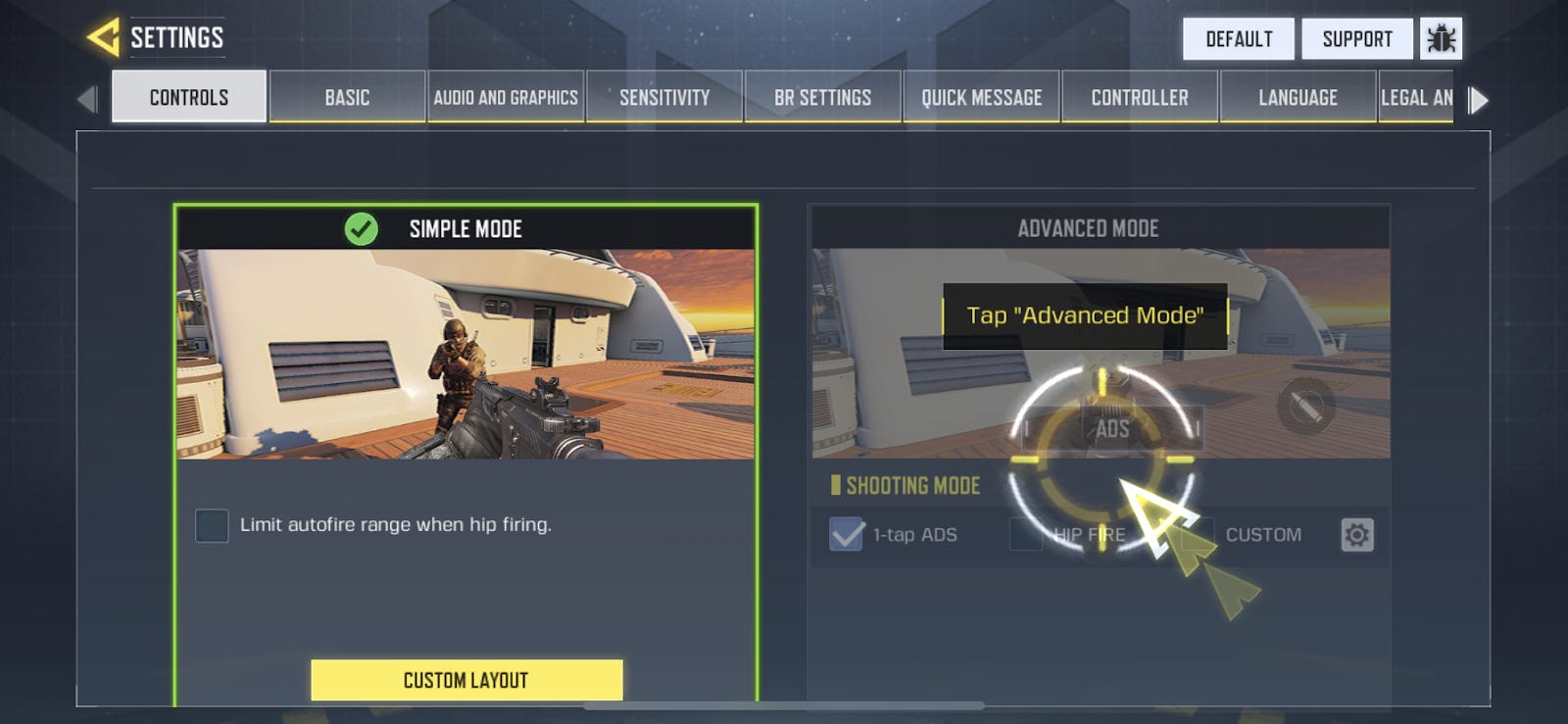
During the tutorial, players are asked to choose between control options which have many abbreviations not necessarily understood by first-time users (we still had not figured them out until we started writing this article).
What does 1-tap ADS mean? What does HIP FIRE mean?
ADS means ‘AIM DOWN SIGHTS’, and HIP FIRE means the player will spray fire bullets in the direction of the crosshair. Uff!
While both the options have their own advantages, using the abbreviations only makes it difficult for the players to understand the significance of the settings. Also, the gif type imagery used in the game isn’t very effective in conveying the meaning to the user.
User Story:
“As a tutorial user, I want to know the meaning and significance of 1-tap ADS and HIP FIRE so that I can decide what control option would be better for me as a player”
The best way to make users understand the meaning and significance of options is to make them use the options. Since the default is set to HIP FIRE, a prompt saying the current mode is HIP FIRE and asking the user to try the 1-tap ADS with a description of what it means would be much more helpful. If the description is too long, the “info button” could again come to rescue to get a first-time user acquainted to the controls.
Bots in the Beginning?
COD does a great job to make sure that a user playing the game for the first time wins (unless he or she leaves the device away). If everyone’s winning, who are the 5 players who lose in the first game playing in the opposite team. Yes, according to this androidcentral, the players are playing mostly with bots, even till level 10.
While many may argue this is not the right way to go about it, it actually helps first time players build confidence and skills before they take on real world players. The time before Level 10 is the opportunity where first-time users can be taught all the basic tactics to be tried on the assumed to be bots.
Aim Accuracy
In addition to the usage of bots, has anyone observed that starting as a mobile FPS player in COD mobile is much easier than most other FPS games (Like Modern Combat 5)? A user is hitting targets right from the beginning of the game with a higher than average accuracy.
Well, this is most likely due to the presence of a larger-than-normal hit radius that surrounds a character in the beginning of the game. A first time user could be shooting bullets in the vicinity of the player and the bullets could still damage the player.
The hit radius also acts as a positive reinforcement for first-time users that makes the users believe they’re really good at the game.
Next Time!
We’ll be releasing part two of this analysis soon where we’ll deep dive into the controls of the game and how they come into play during the FTUE as well as an analysis of how the FTUE feeds the player directly into the core gameplay loop. Please let us know what you think in the comments below.
About the authors: Raja, Jack, and Pedro are aspiring Product Managers.